
Blog News
how to upgrade Sur Ron Light Bee battery”
Mar
How to Upgrade Your Sur Ron Light Bee Battery: A Complete Guide on How to Upgrade Sur Ron Light Bee Battery
The Sur Ron Light Bee is a fantastic electric bike that has captured the hearts of off-road enthusiasts and urban riders alike. However, as riders push their limits, many find themselves looking for ways to enhance performance. One of the most effective upgrades you can make is to upgrade the battery. In this blog post, we’ll explore why you might want to upgrade your Sur Ron Light Bee battery, how to do it safely, and what benefits you can expect while learning how to upgrade Sur Ron Light Bee battery.
Why Upgrade Your Sur Ron Light Bee Battery?
Essential Steps on How to Upgrade Sur Ron Light Bee Battery
Upgrading your battery can provide several advantages:
- Increased Range: A higher-capacity battery allows you to ride longer distances without needing to recharge.
- Improved Performance: A more powerful battery can enhance acceleration and top speed, making your rides more exhilarating.
- Faster Charging: Some upgraded batteries come with advanced technology that allows for quicker charging times.
- Longevity: Newer battery technologies often have longer lifespans, meaning you won’t have to replace them as frequently.
Choosing the Right Battery
Before diving into the upgrade process, it’s essential to choose the right battery for your Sur Ron Light Bee. Consider the following:
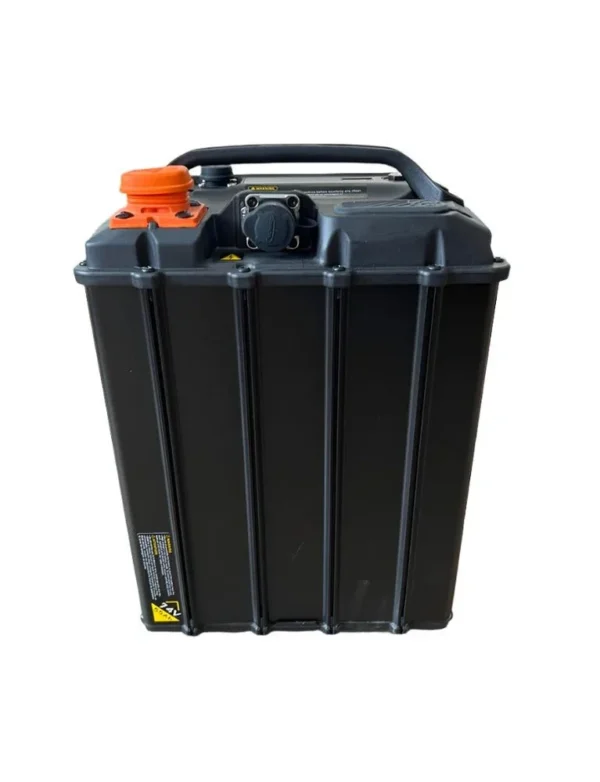
- Capacity: Look for a battery with a higher voltage (72V) and amp-hour (Ah) rating than the stock battery. Common upgrades include options that range from 30Ah to 40Ah.
- Compatibility: Ensure the battery is compatible with your Sur Ron model. Check specifications and reviews to confirm.
- Brand Reputation: Choose reputable brands known for quality electric bike batteries, such as Battle Born or other trusted manufacturers.
Tools You’ll Need
To upgrade your Sur Ron Light Bee battery, gather the following tools:
- Socket wrench set
- Screwdriver set
- Safety gloves
- Multimeter (for checking voltage)
- Battery management system (BMS) if needed
Step-by-Step Guide to Upgrading Your Battery
Step 1: Safety First
Before starting any work, ensure your bike is powered off, and disconnect the original battery. Wear safety gloves to protect yourself from electrical components.
Step 2: Remove the Existing Battery
- Locate the Battery Compartment: The battery is typically housed in a compartment beneath the seat.
- Unscrew and Remove: Use a socket wrench to unscrew the battery mounting bolts. Carefully lift the battery out of the compartment.
Step 3: Prepare for the New Battery
- Inspect Connections: Check the wiring and connectors for any damage. Clean any corrosion if necessary.
- Test Voltage: Use a multimeter to ensure the new battery is charged and functioning correctly.
Step 4: Install the New Battery
- Place the New Battery: Carefully position the new battery in the compartment, ensuring it fits securely.
- Connect Wires: Reconnect the wiring harness to the new battery. Ensure all connections are tight and secure to avoid any electrical issues.
- Secure the Battery: Reattach any mounting hardware to hold the battery in place.
Step 5: Test the Installation
- Power On: Turn on your Sur Ron Light Bee and check for any warning lights or error messages.
- Test Ride: Take the bike for a short test ride to ensure everything is functioning correctly and that you’re experiencing the expected performance improvements.
Maintenance Tips
After upgrading your battery, consider these maintenance tips to ensure longevity:
- Regular Charging: Keep your battery charged regularly to maintain its health.
- Avoid Deep Discharges: Try not to let the battery drop below 20% charge frequently, as this can shorten its lifespan.
- Store Properly: If you’re not using the bike for an extended period, store the battery in a cool, dry place and keep it partially charged.
Conclusion
Upgrading your Sur Ron Light Bee battery can significantly enhance your riding experience, offering increased range and improved performance. By following the steps outlined in this guide, you can safely and effectively upgrade your battery, ensuring that your electric bike continues to deliver the thrill you crave.
Have you upgraded your Sur Ron Light Bee battery? Share your experiences, tips, or questions in the comments below! For more electric bike insights and upgrades, stay tuned to our blog!
